Base44 rate limit exceeded? How to get rid of every limit

Daniel Frishtik
Founder of EscapeBase44 ·
Base44 puts limits on every app because thousands of apps share its servers. Move your app onto servers of its own, and the limits are gone.
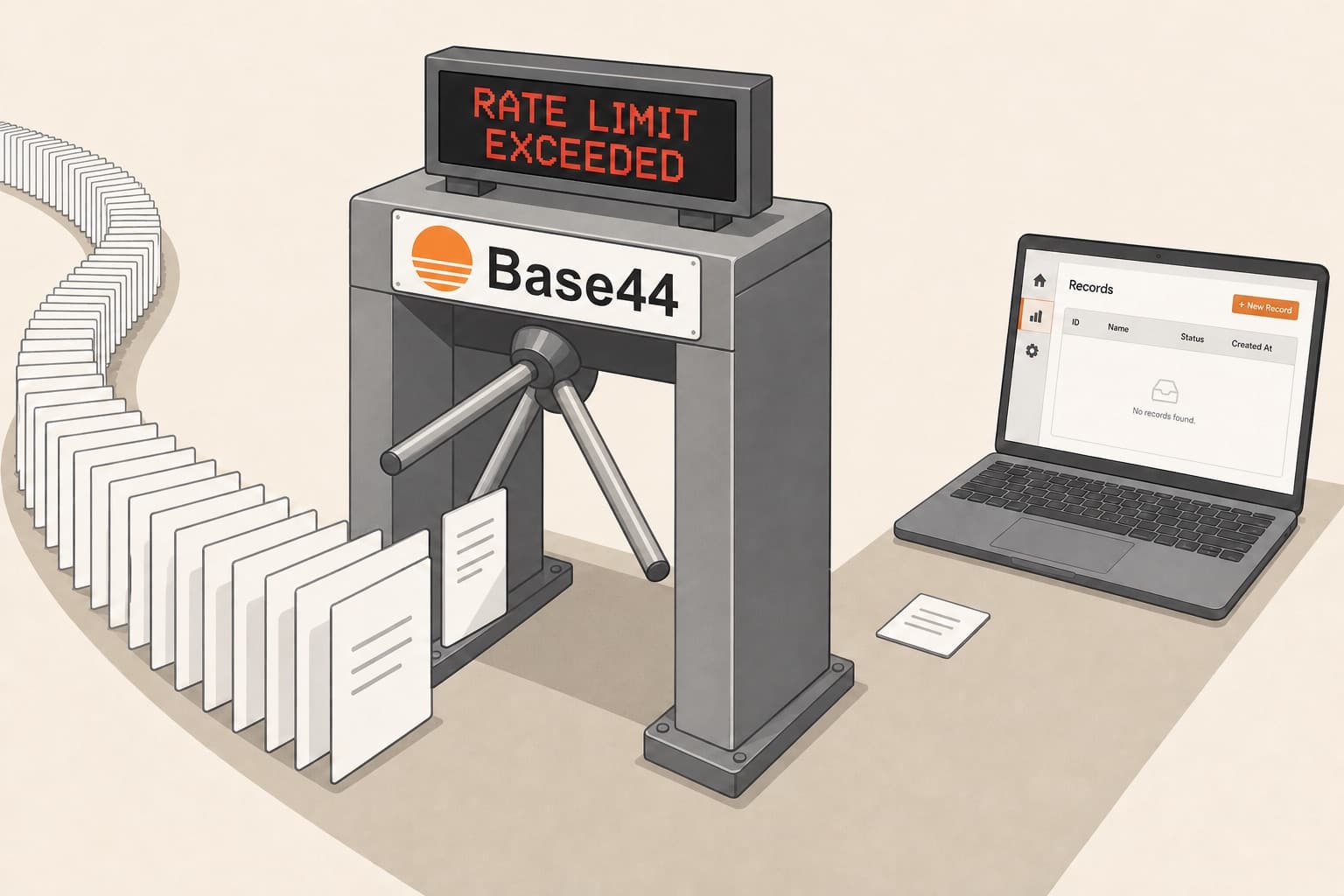
Your app hit one of Base44's limits in the middle of real work. An import of a few thousand rows quit halfway, or a bulk delete locked the whole app up, or a screen your staff use all day started saying “rate limit reached, try refreshing”. Or a list stopped at 5,000 records with no error at all, or a backend function was cut off at five minutes. You asked the AI to fix it, and it added a delay. You tried smaller batches and slowing things down, and the app still ran into the limit. Support told you they can't raise it.
The limit you hit is Base44's, not your app's. Your app runs on servers it shares with thousands of other Base44 apps, and every limit on it is a number Base44 set so that no single app takes too much of those servers. You can write code to work around it and hit the limit later, or buy a bigger plan and get some higher numbers, but nothing you do on Base44 makes a limit go away. The rate limit is only one of about a dozen limits a live app runs into. It's the one owners write to me about most, and even paying Base44 $1,000 a month won't get rid of it.
Rate limit exceeded with only one user: is it you or Base44?
It's Base44's limit, and your app can hit it with nobody on it but you. Base44 counts everything your app does on its own as one more user: every backend function, every automation and workflow, a nightly recalculation, an import. That one user gets a fixed number of calls a minute, and the number is the same whether one person uses the app or a thousand. A function that goes through 617 records one at a time runs out of it with only you logged in. With a thousand people on the app, it still gets the same number.
And the code that goes through records one at a time was written by Base44's AI, which doesn't know Base44's limits. It writes loops that read one record per call and dashboards that refresh every few seconds. Owners have asked on Base44's feedback board for the builder to respect the platform's limits. The request sits under review, and nobody at Base44 has replied to it.
What the error on your screen means
The error names its limit. It reads something like this:
Rate limit exceeded: entity_list allows 70 requests per 60s for each caller of this app (a signed-in user, a visitor's IP or a service token). Retry after 57s.In plain words: your app asked Base44 for lists of records more than 70 times in one minute, and Base44 stopped it until the minute was up. The 70 is Free's number. On a bigger plan the same error comes with a bigger one, 140 on Builder. “Each caller” is who Base44 counts separately: every signed-in person, every visitor, and your app itself (that's the “service token”), so a function or an automation of yours can use up the whole minute on its own. Depending on how your app shows errors, the same thing can read Base44Error: Rate limit exceeded, a plain 429, Too many requests, or rate limit reached, try refreshing on a screen inside the app.
An import or a bulk create that stops with App entity write traffic volume limit exceeded has hit a different limit: how much data the app may write per minute, counted in rows and in size. A record refused as over the 100 KB limit per record, or a field that exceeds the maximum allowed size, has hit a size limit. A list that stops at exactly 5,000 records shows no error at all. Most people's first thought is that the rest of their data is gone. It isn't: Base44 just never sends more than 5,000 in one go.
When the builder's chat tells you to wait an hour, that's a limit on your messages to the builder, not on your app. And a white screen or a 502 for everyone at once isn't a limit at all. That's Base44 being down.
How often Base44 goes down, and why your app goes down with itEvery limit Base44 puts on a live app, with its real number
Base44 doesn't publish the rate limit's numbers anywhere. You only ever see them inside the error that stops you, so we measured every one of them ourselves. Most of the others are in Base44's docs, each on a different page.
- A rate limit on every operation, on every plan. On Free and Starter, each user of the app can read a list of records 70 times a minute, read a single record 150 times, create 80, update 70, and delete 70 every 30 seconds. A filtered list counts as a list. A bigger plan multiplies those numbers, 2x on Builder, 3x on Pro, 5x on Elite and Business and 10x on Enterprise, and no plan comes without them. Each signed-in person gets their own count, visitors who aren't signed in are counted by their internet address, and your app's own functions, automations and workflows are counted together as one more user.
- A write limit on imports and bulk creates, on every plan. Base44 doesn't document it anywhere, not even that it exists. It stops you the same way the rate limit does, with a 429 and a time to wait, but it counts how much you write, in rows and in size. In our tests on Free, an import was cut off after about 5,500 small rows, and after only 1,000 when each row held 2,000 characters. That's a few MB a minute. Base44 scales its limits by plan, 2x on Builder up to 10x on Enterprise, so the top plan gets a few tens of MB a minute. An owner on Base44's feedback board quoted support's figure at 50 MB a minute. Deleting in bulk is slow on every plan too: clearing a table of 10,000 records one at a time takes over an hour on Free, half an hour on Builder and seven minutes on Enterprise, and a function that does the deleting uses up the same allowance every other function of yours needs.
- 5,000 records per request, on every plan. Since November 2025, no request gets more than 5,000 records back, and nothing tells you so. The rest are still in the database, and the table in your dashboard shows only the first 5,000 too. The only way past it is pagination, 50 to 200 records at a time, in every place the app reads a whole table.
- A database size and a record size per plan, for apps created since October 18, 2026. 200 MB on Free, 2 GB on Starter, 5 GB on Builder, 10 GB on Pro, 25 GB on Elite, 50 GB on Business, no limit on Enterprise. A single record can be 100 KB up to Builder, 250 KB on Pro, Elite and Business, and 1 MB on Enterprise. When a record is too big, the error that refuses it points you to the Pro plan. When the database is full, the app can't add a record, imports included, until you upgrade. Apps created before October 18 have neither limit.
- 20,000 characters per field, on every plan. A field over 20,000 characters is refused, and anything bigger has to go in as a file.
- 50 MB per uploaded file. 100 MB for a video, on every plan.
- 5 minutes per backend function, on every plan. A function that runs longer is cut off, whether a person called it, an automation triggered it or a workflow ran it. A chain of functions can be seven long, and the eighth can't reach Base44 at all. Backend functions need Builder or above.
- A schedule runs every 5 minutes at most, on every plan. That's how an owner's roster of 5,465 shifts turned into a scheduled job of 186 batches. Five hours in, it was at batch 86. And when a scheduled workflow fails five times in a row, Base44 switches it off and emails you.
- 20 new people a day by email on every plan, and a cap on invitations. Your app can email up to 20 people a day who haven't signed up, and each of them gets at most three emails a day. Invitations go by plan, 100 a day on Free up to 2,500 on Enterprise, and invitations sent from inside the app stop at 100 on every plan. A customized invitation email can go to 20 people a day, on every plan but Enterprise.
- No cap on users, but everything they do is capped. Base44 doesn't limit how many people sign up to your app. Every record they create fills the database, 200 MB on Free up to 50 GB on Business for an app created since October 18, and when it's full the app can't save anything new. Every AI answer, email and upload they cause spends integration credits. And the more people use the app, the more work its own functions and automations do, on the one allowance that never grows.
How to work around Base44's limits, and why none of it truly removes them
- Paginate past the 5,000. Tell the AI to load every table 50 to 200 records at a time, and every record past 5,000 loads. It's the one workaround that holds, and only because the app stops asking for more than 5,000 at once. The cap on a single request is still there, and every new screen the AI writes has to be kept under it too.
- Batch, wait, retry and cache. That means batches with delays between them, a retry after every 429 error, caching so the same data isn't fetched twice, and one call at a time instead of all at once. This is what Base44 tells you to do, and all of it does the same thing: it slows the app down until it fits under the limit. That's how the 5,465-shift roster got in, after about seven hours. The limit never moved, and every new feature the AI writes can run into it again, because the AI still doesn't know the number.
- Ask support to raise it. No. Owners who asked were told it isn't possible. What Base44 offers instead is a bigger plan.
- Buy a bigger plan. It raises some of the numbers, but the rate limit never goes away, and most of the others don't even move. The rate limit goes up with each plan, up to ten times on Enterprise, and on new apps so do the record and database sizes. Everything else is the same on Elite as on Free: the 5,000 per request, five minutes per function, seven functions in a chain, schedules every five minutes, 20 new people a day by email and the 100 in-app invitations. And the allowance your app's own functions share still doesn't grow with your users. An owner paying $200 a month for Elite wrote to me that his app slows down and throws errors whenever several people use it at once, and that this alone was why he wanted off Base44.
- Move the database, or the heaviest functions, out of Base44. This is the advice you'll get in thread after thread: put the records in Supabase, a separate database service, or run the heaviest functions somewhere else, and keep the app on Base44. What you moved is out of Base44's limits. The rest of the app isn't: your users still sign in through Base44, and your other functions, automations, emails and uploads still run there, under the same limits. You end up with two systems to keep in sync, and Base44's limits over most of the app.
Unless your app is a few screens that a handful of people open now and then, it will hit these limits, whatever plan you pay for. Imports, bulk updates, nightly recalculations and dashboards a whole team keeps open all run into them.
Why these limits exist, and why Base44 keeps adding new ones
Base44 sets every one of these numbers for its servers, not for your app. Capping every app is how Base44 keeps one app's import from slowing down the thousands of other apps running next to it. That's why a one-person tool and a company's CRM on the same plan get the same numbers, and why support can't raise yours.
And new ones keep coming. The 5,000 per request came in November 2025, and the database size per plan on October 18, 2026. The write limit on imports isn't in the docs at all, and owners found it when their imports stopped. Meanwhile Base44's own AI keeps writing apps that run into them. On Base44 you build under limits someone else sets and changes, and you find out about each one when your app hits it. That's what it means to build an app that does real work on a vibecoding platform.
On your own servers, there is no rate limiter
A normal app has no rate limit on its own database. It runs on its own server, talks to its own database, and shares neither with any other app. Even the free tier of MongoDB Atlas handles 6,000 list calls a minute. Base44 Free allows 70 list calls a minute, stops every list at 5,000 records, and doesn't run backend functions at all. On Enterprise, Base44's most expensive plan, you get 700 list calls a minute. That's still almost 10x worse than MongoDB free. On servers of your own, a list returns as many records as you ask for, a function isn't cut off at five minutes, and an upload isn't refused at 50 MB.
A Base44 app can't work this way, because its backend is Base44's. Everything the app does goes through Base44's server code: the sign-in, every record it reads and writes, every function, every file, every email. Base44 runs the same code under thousands of apps. The only way out of these limits is to move your app onto servers of its own, and Base44 makes that hard. The export it offers hands you only the screens, and those screens still call Base44 for all of it. So before a Base44 app can run on servers of its own, someone has to build Base44's entire backend again.
What Base44's export includes, and why it still runs on Base44How to move your app onto its own servers without rebuilding it
I had to do exactly that for my own app. It was on Base44 too, and I kept hitting things Base44 wouldn't let me touch. So I wrote Base44's whole backend again by hand, every part my app used: sign-in, records, uploads, functions, email and AI. That was months of work. Then I automated the move for any Base44 app, and that's EscapeBase44.
All you do is sign in with Base44 and choose which app moves. You get Base44's whole backend, rebuilt as code on your own GitHub account, and it becomes your app's server, one that runs your app and nothing else. You can read and change every line of it. Your app moves with it, as it is, onto accounts you open yourself at the usual providers, like Vercel, which hosts the app, and MongoDB Atlas, which holds its data. Every screen, every record and every uploaded file moves, and so do the functions, the workflows and your users, who sign in just as they did before. The app your users know doesn't change. Base44's copy of your app stays as it is the whole time, so your users stay on it while you try the new one, and when you're ready, you cancel Base44.
After the move, Base44's limits are gone. All of them:
- The rate limit is gone. There's no rate limiter in the backend you get, because there's nobody else on your server to protect. Your app talks straight to its own database, and a backend function no longer waits on an allowance it shares with everything else your app does. A hundred people on the app at once don't slow it down and don't get a 429.
- The write limit is gone with it. An import goes into your database as fast as the database takes it, and deleting 10,000 records doesn't wait on an allowance.
- The 5,000 per request is gone, and so is the 20,000 characters per field. Both were Base44's caps on a database it shares between thousands of apps, and your app's database is shared with no one.
- No 100 KB per record, and no cap on the database. A record in your own MongoDB can be 16 MB, 160 times Base44's 100 KB. The database can start on Atlas's free tier, 512 MB, and when you outgrow that, the next size is a plan change on your own account, not a wall. Or it runs on your own server, as big as its disk.
- The five-minute cut-off goes with Base44. A long job runs on your own server as a background job, start to finish, instead of inside one call that Base44 kills at five minutes.
- No upload limit. Files go into storage you own, with no 50 MB per file. If your users upload big files, the app runs on a server you rent instead of Vercel, and big files are fine there.
- No cap on emails or invitations. Your app emails whoever it needs to, as often as it needs to.
- No integration credits. Your app's AI calls go out on your own key, at the AI company's price, and an email or an upload costs what the provider charges, which is next to nothing.
Then nothing stops your app anymore. The import that quit halfway runs to the end. The bulk delete that locked the app up finishes. The screen your staff use all day never tells them to refresh again. Your app does everything it did on Base44, without a single one of Base44's limits.
Move your app onto its own servers, and every one of Base44's limits is gone.
One-time, priced to your app.
See how the migration worksBase44 limits FAQ
What is Base44's rate limit?
A cap on every operation, per user, on every plan. On Free and Starter each user of the app gets 70 list calls, 150 reads, 80 creates and 70 updates a minute and 70 deletes every 30 seconds, and higher plans multiply those, 2x on Builder up to 10x on Enterprise, without ever removing them. Your app's own functions and automations are counted together as one more user, with one allowance for the whole app.
Why do I get “rate limit exceeded” with only one user?
Because everything your app does by itself is counted as one more user, not as you. Backend functions, automations and workflows share that one user's allowance, 140 list calls a minute on Builder, the first plan that runs them, and it doesn't grow with your users. A function that goes through a few hundred records one at a time hits it with only you logged in.
Does a higher plan raise Base44's limits?
Only some of the numbers, and no plan removes the rate limit. The rate limit goes up with the plan, 2x on Builder up to 10x on Enterprise, and on apps created since October 18, 2026 so do the record and database sizes. The 5,000 records per request, the 5-minute function limit, the 7-function chain, schedules every 5 minutes, 20 emails a day to people who haven't signed up and the 100 in-app invitations are the same on every plan.
Can Base44 support raise my rate limit?
No. Owners who asked were told it isn't possible. Base44 sets the limits by plan, and what it points you to is spreading requests out, retrying, or a bigger plan.
Why does my Base44 app only show 5,000 records?
Since November 2025, a single request gets at most 5,000 records back, with no error, on every plan. The rest are still in the database. Pagination, 50 to 200 records at a time, loads them.
How much data can a Base44 app store?
Apps created from October 18, 2026 get 200 MB on Free, 2 GB on Starter, 5 GB on Builder, 10 GB on Pro, 25 GB on Elite, 50 GB on Business and no limit on Enterprise, and a single record can be 100 KB up to Builder, 250 KB on Pro, Elite and Business and 1 MB on Enterprise. Older apps have neither limit. A field can hold 20,000 characters.
What's the file size limit on Base44?
50 MB per uploaded file in a live app, and 100 MB for a video, on every plan.
How long can a Base44 backend function run?
5 minutes, on every plan that has functions, whether it's called directly, triggered by an automation or run as a workflow step. A chain of functions can be 7 long. Scheduled workflows run at most every 5 minutes, and a scheduled workflow that fails 5 times in a row is switched off.
Is there a limit on users in Base44?
No cap on sign-ups, but everything they do is capped. Their records fill the database, 200 MB on Free up to 50 GB on Business on apps created since October 18, 2026, and when it's full the app can't save anything new. Every AI answer, email or upload they cause spends integration credits, invitations stop at 100 a day on Free (2,500 on Enterprise), and your app can email only 20 people a day who haven't signed up.
Does moving off Base44 remove the limits?
Yes, all of them. The rate limit, the write limit, the 5,000 per request, the record and database size caps, the five-minute cut-off and the email caps are Base44's, and none of them comes with your app. It runs on servers of its own, on accounts you hold, and no other app is on them.